1. Capture
Talk like you train
Try “Bench press: 80 kilos for five, then three sets of eight at 70. Last set felt hard.” You can record on the way out or between sets.
Voice workout logging
When typing every set would make you skip the log, tell Xoof what you did. It writes up the workout and opens it for you to check, so a misheard weight is one tap from fixed.
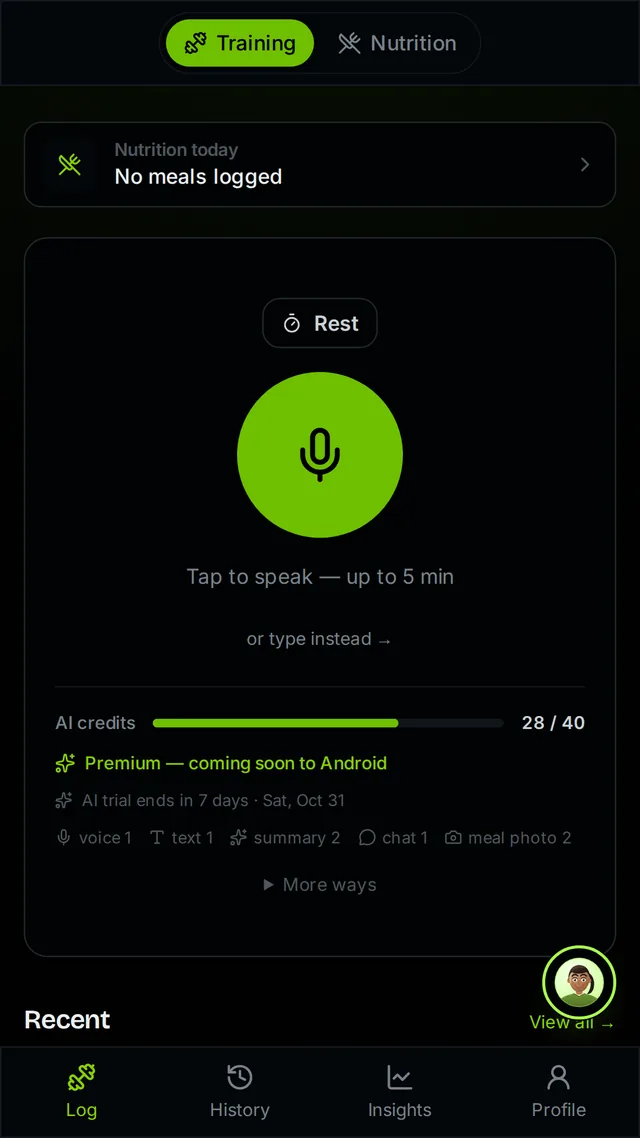
1. Capture
Try “Bench press: 80 kilos for five, then three sets of eight at 70. Last set felt hard.” You can record on the way out or between sets.
2. Review
Xoof saves what it heard and opens it straight away: exercises, sets, reps, load and notes. Fix any mistake, or discard the whole thing.
3. Use it
Saved sets feed your per-exercise history, personal records and training volume. You can repeat a past session or use a logged week to start a plan.
Speech recognition can mishear a weight or an exercise. That is why the full workout opens for you to check the moment it saves. The manual editor is available for every workout, and typed capture opens the same review if you cannot speak aloud.
The saved workout then becomes the source for progress calculations. See how Xoof tracks strength progress, log meals the same way, or explore the full product.
Open the Training log, tap the microphone and describe what you did in plain English, for up to five minutes. Xoof turns it into exercises, sets, reps, load and notes, saves it so nothing is lost, and opens it straight away for you to check.
Fix it on the review screen that opens as soon as the workout saves. Every field is editable, and you can discard the whole session. The transcript is saved with the workout so you can see what was heard.
No. "Bench, five at eighty, then three sets of eight at seventy, last set was hard" works. Kilos or pounds, sets in any order, RPE or a note about how it felt are all fine.
Yes. Record it without signal and Xoof finishes it when you are back online. The manual editor works offline too.
The recording is sent to the AI to be turned into a workout and then deleted. Xoof keeps the transcript only. AI features run only with your consent, and manual logging works without it.
New accounts get 14 days of full AI, including voice. After that a small free AI allowance refills every week, and manual and text-editor logging stay free with no limit.