Log the work
Enter sets, reps, load, RPE and notes in the manual editor, or start from text or a voice note. Review an AI draft before saving it.
Strength training log
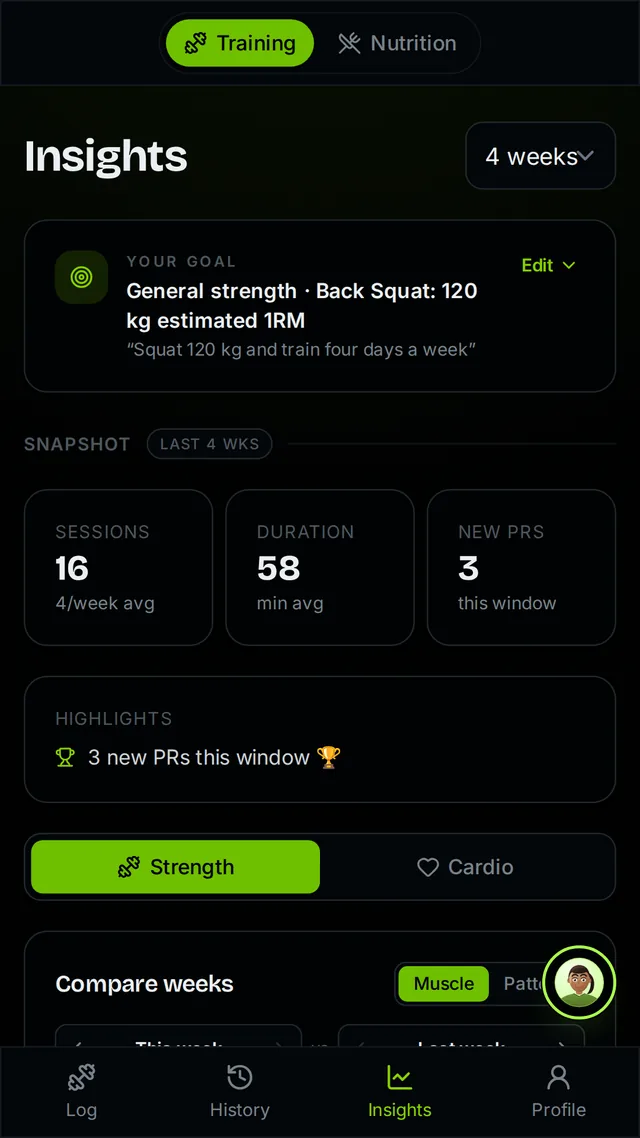
Record the set, then see the pattern: what you lifted before, where you set a record, and how much hard work each muscle group has had this week.
Enter sets, reps, load, RPE and notes in the manual editor, or start from text or a voice note. Review an AI draft before saving it.
Follow per-exercise history, personal records, estimated one-rep max and strength relative to body weight. Weekly hard-set volume shows which muscles got the work.
Repeat a session you know, turn a logged week into a flexible week plan, or ask the Training coach about progression using your actual sessions.
Xoof calculates records and volume from the sets you saved. The coach explains those numbers and suggests a next step. Your history shows exactly what you did, missed weeks included.
Prefer to speak a session after training? See the voice workout logger. You can also meet Nova, the Training coach, or explore all Xoof features.
Exercises, sets, reps, load, RPE, supersets, notes and timing, plus duration and distance for cardio. Every saved set feeds your per-exercise history, personal records and weekly volume.
With the Epley formula, from sets you actually logged. The same sets always give the same number.
A working set with reps and an RPE above 4, or no RPE at all. Sets you mark RPE 1 to 4 are treated as warm-ups, and the review screen tells you so before you save, so you can correct it.
Records, volume and trends are calculated from your saved sets. The Training coach explains them and suggests a next step. Only you can change your logs.
Yes. Logging, full history, personal records, the exercise library, week plans and the rest timer are part of the free logbook, and they stay free when Xoof Premium arrives.